Bloom Twitter Tracker: The Fastest Crypto Signal Tool for Real-Time Memecoin Trading
If your trading day still starts with X open in three tabs, you have a latency problem. Tweets carrying contract addresses move markets in seconds. By...
If your trading day still starts with X open in three tabs, you have a latency problem. Tweets carrying contract addresses move markets in seconds. By the time you have scrolled to the right account, screenshotted the CA, switched windows, and pasted it into a buy field, the candle is gone. The Twitter Tracker inside Bloom Manager collapses that loop into a single screen and a single click, with detection latency that leaves the rest of the field looking sluggish.
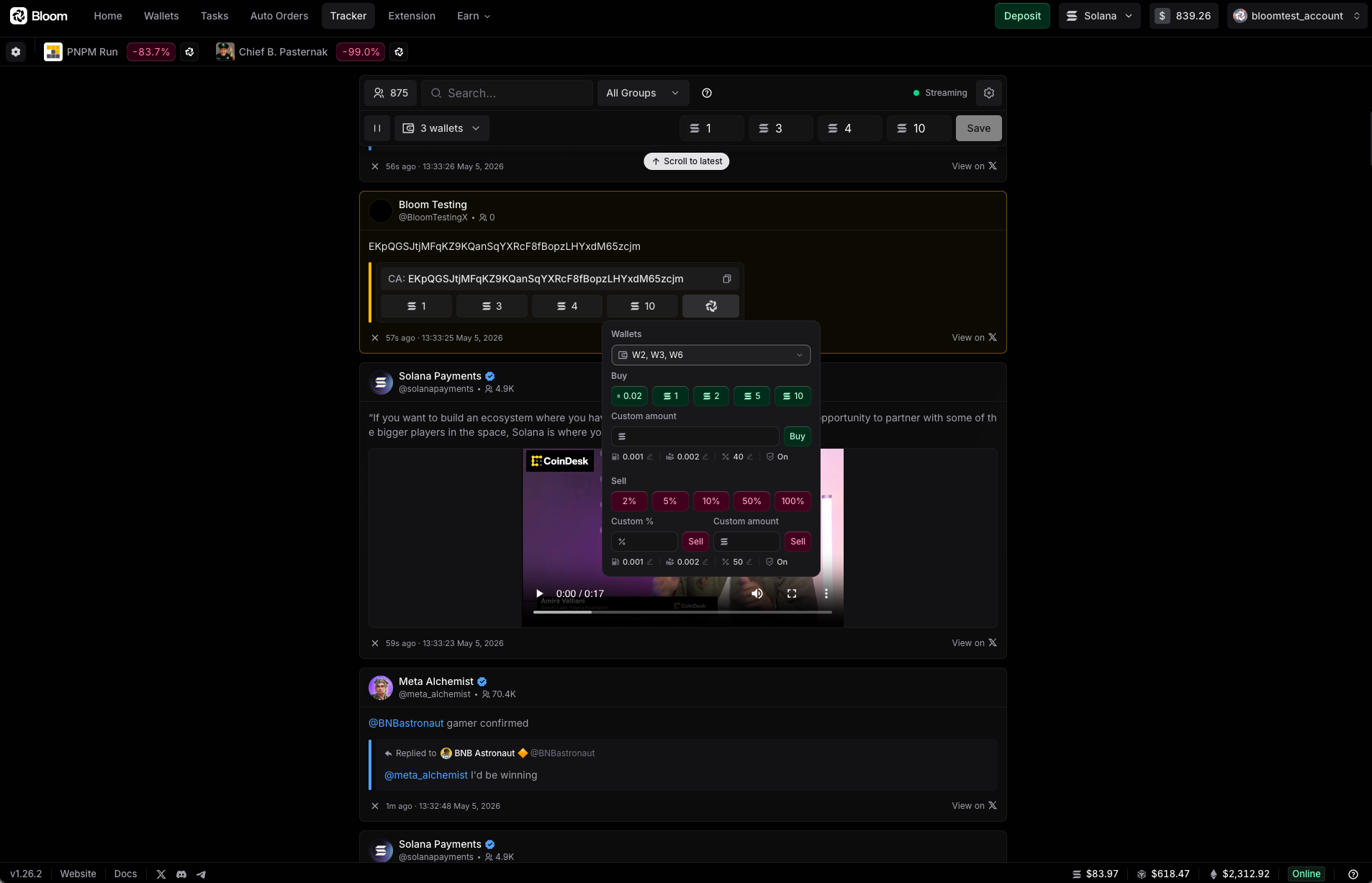
Bloom's Tracker is the fastest Twitter monitor on the market today. From the moment a tracked account posts to the moment the post hits your feed, the gap is effectively the network. Once it lands, you trade it from the same view, in well under a second.
Why this matters before the how
Three things separate a usable tracker from a checkbox feature on a competitor's roadmap.
- –Detection speed. Your edge on a Twitter-driven entry is measured in hundreds of milliseconds. A tracker that batches polls or rate-limits its ingest is shipping you stale data. Bloom's pipeline pushes posts the instant they exist.
- –Curation. A flat firehose of every account everyone tracks is noise. The Tracker lets you build groups, segment by thesis or vertical, and view only the slice you want at any given moment.
- –Trade execution from the feed. A tracker that surfaces a contract but punts you out to another tab is half a tool. Bloom turns each post into a one-click buy and a quick panel that handles the full position, buy and sell, in the same view.
The combined effect is that you stop watching Twitter. The Tracker watches it for you, and you only show up when there is something to do.
Building your tracking universe
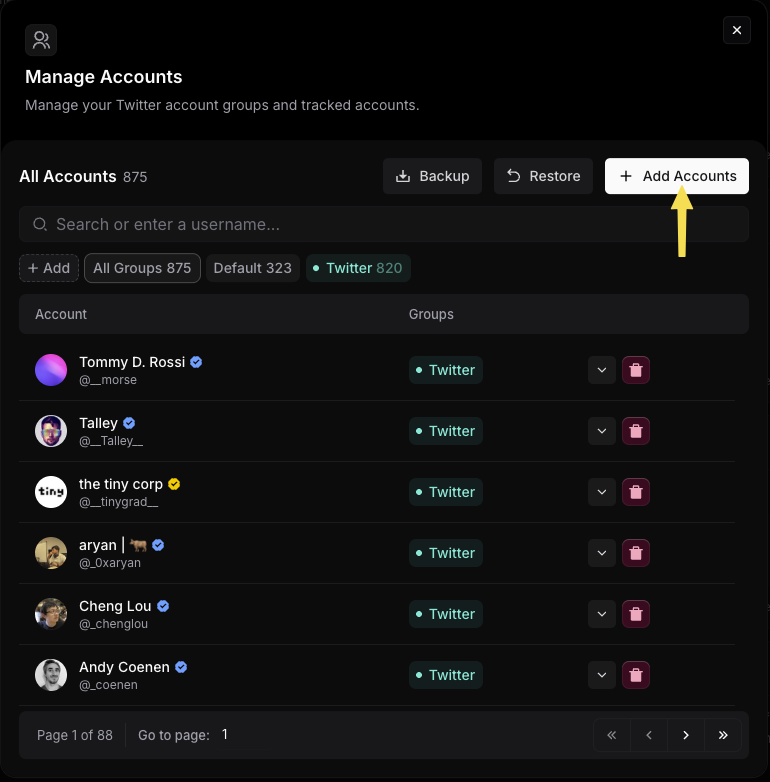
The Tracker organizes accounts into groups. A group is a slice of X you want to monitor as a unit. Solana KOLs in one, EVM degens in another, AI agents in a third, whatever taxonomy you trade by.
You add accounts in three ways:
- –Single. One handle at a time, for surgical edits.
- –Multiple. Paste a comma-separated list, for bulk additions from a curated dump.
- –CSV. Import a full file, for migrating from another platform or systematizing a research session.
Once a group is populated, switching between groups in the modal shows you exactly which handles sit where. You can delete any account from any group with one exception: the Default group is pre-populated by Bloom and cannot be edited or deleted. For a portable backup of your full setup, the Export action ships the complete account list in a single click.
Trading from the feed
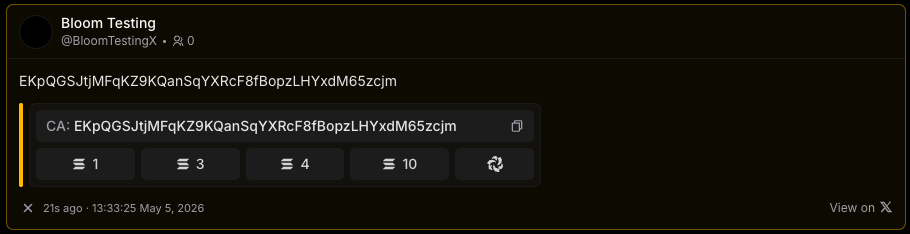
When a tracked account posts a contract address, the Tracker surfaces three things on the post itself.
- –The contract address, tappable to copy.
- –Four quick-buy buttons, each bound to a preset amount you configured in Settings.
- –A Bloom icon that opens the quick panel.
The quick-buy buttons are the speed primitive. One click fires a buy at the preset size, on the wallet and chain configured for the active strategy.
The quick panel is the depth primitive. It opens in place over the post, with full buy and sell controls, wallet switching, and strategy adjustments. Total time from spotting a CA to a confirmed exit can stay under a second when your settings are dialed in.
Tracker behavior settings
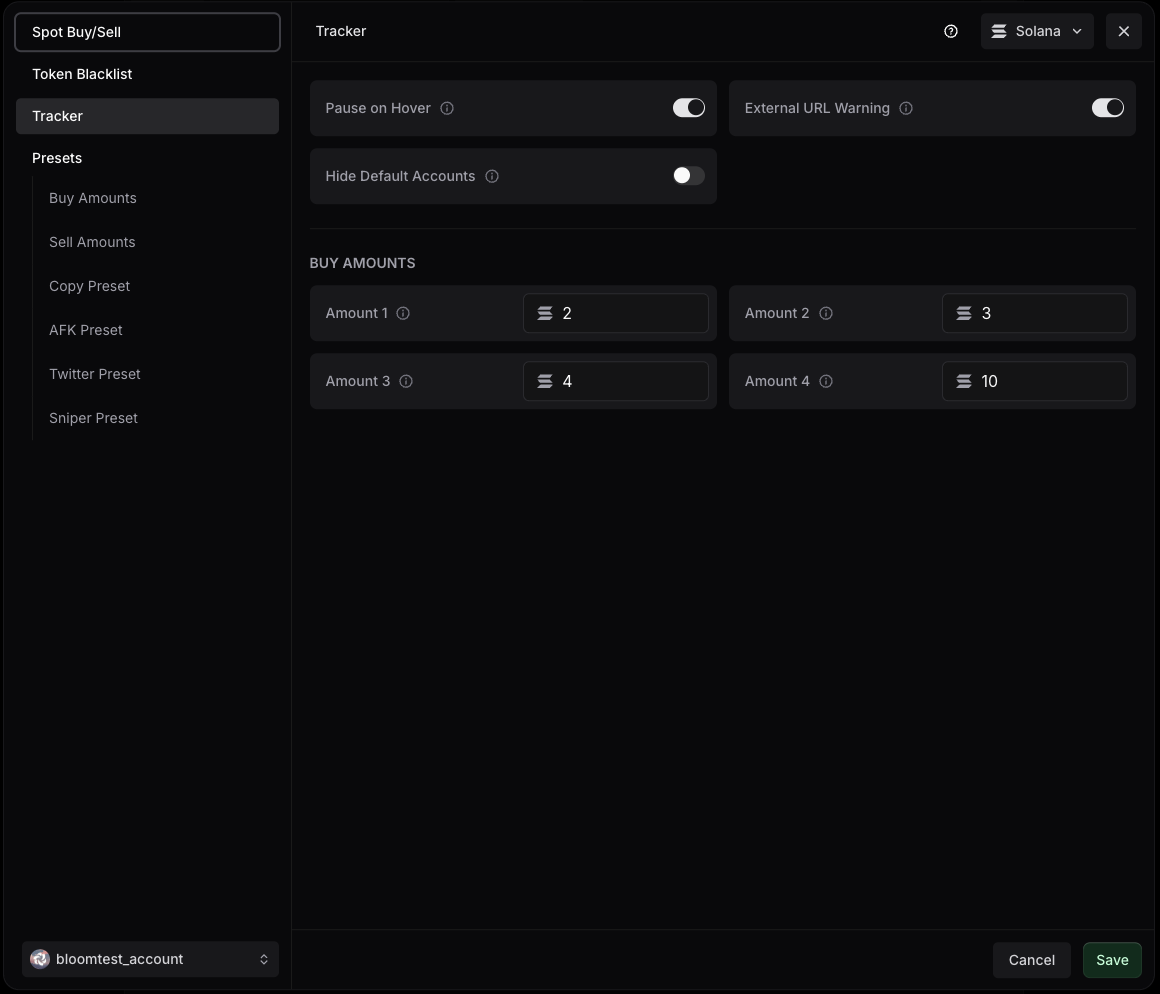
Two settings shape how the Tracker behaves on screen, plus the four preset amounts driving the quick-buy buttons.
- –Pause on Hover. Pauses the live feed when your cursor is over it. Stops new posts from pushing a target post out of view while you are reading it.
- –External URL Warning. Surfaces a warning when an action would redirect you to a potentially unsafe external URL. The guardrail for the spoof problem that has cost a lot of money on other surfaces.
- –Buy Amounts (1 to 4). The four preset values bound to the quick-buy buttons. Set them once around your normal entry sizes and forget about them.
Where it fits in the Bloom stack
The Tracker is a Manager feature, but the integration is what makes it count. Trades fired from the feed flow through the same Bloom infrastructure as your spot trades, copy tasks, and AFK runs. The wallets are the same wallets, the Presets are the Presets you already tuned, and positions opened from the Tracker are visible from the same dashboards as everything else.
The Bloom Extension extends the same logic to the platforms outside Manager. If you also trade Solana memecoins through your favorite terminal, the Extension's trade panel and the Tracker's quick panel share the same execution stack underneath. Same speed, same controls, different entry point.